


Imitation Dummy Security Camera PRO-MSBDUM - SWPRO-MSBDUM
Swann SKU: SWPRO-MSBDUM-GL
-

Deterrence on a Budget
Add dummy security cameras around your property or mix and match them with real ones, a burglar won’t know the difference.
-

High Tech Scarecrow
Create a scarecrow effect, as the presence of security cameras is a powerful deterrent to create doubt on a burglar’s mind.
-

Weatherproof Design
Mount it outdoors for year round deterrence, rain or shine.
-

Hiding in Plain Sight
The imitation camera uses the same case as a real security camera from Swann, just without the internals, making it hard to tell the decoy camera from real ones.
-

Easy DIY Installation
Everything you need is in the pack, including screws, wall plugs & security stickers.
Swann Security App
Stay Connected & ProtectedManage Swann DVRs, NVRs, and Wi-Fi cameras all from one app. Live view, playback, and control made easy, no juggling between platforms.
Stay connected on the goWatch live feeds or review footage remotely using Wi-Fi. Peace of mind whether you're at work or away on holiday.
Smart Alerts That MatterReceive push alerts for motion, people, vehicles, and more. Set custom modes like Home or Away for smarter security. *Rich notifications may require a subscription.
Flexible video storageStore footage locally with a DVR/NVR or microSD, no ongoing cloud fees required. Keep full control without extra costs.


What's Included
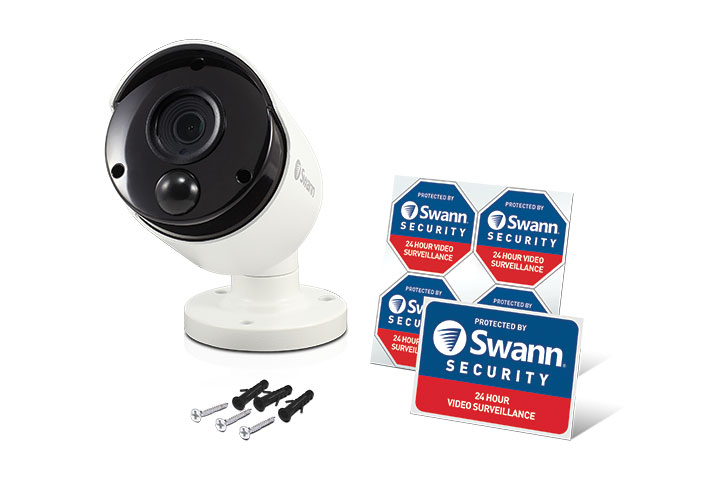
What's Included
Mounting Screws & Plugs
Theft Deterrent Stickers
Technical Info

Why you can trust Swann
With over 35 years of global security expertise, Swann is a trusted leader in DIY and professional surveillance. Our products are backed by industry-leading innovation, secure cloud and local storage, and dedicated customer support – giving you peace of mind, 24/7.







